Grok Bot troubleshooting: common errors, 401, 429, and recovery
This article was produced with AI assistance. Editorial standards apply.
 AI Edited
Last updated: 26 August 2026
Key takeaways
- Classify the plane first: xAI HTTP, Grok Bot computer, or Discord/plugin.
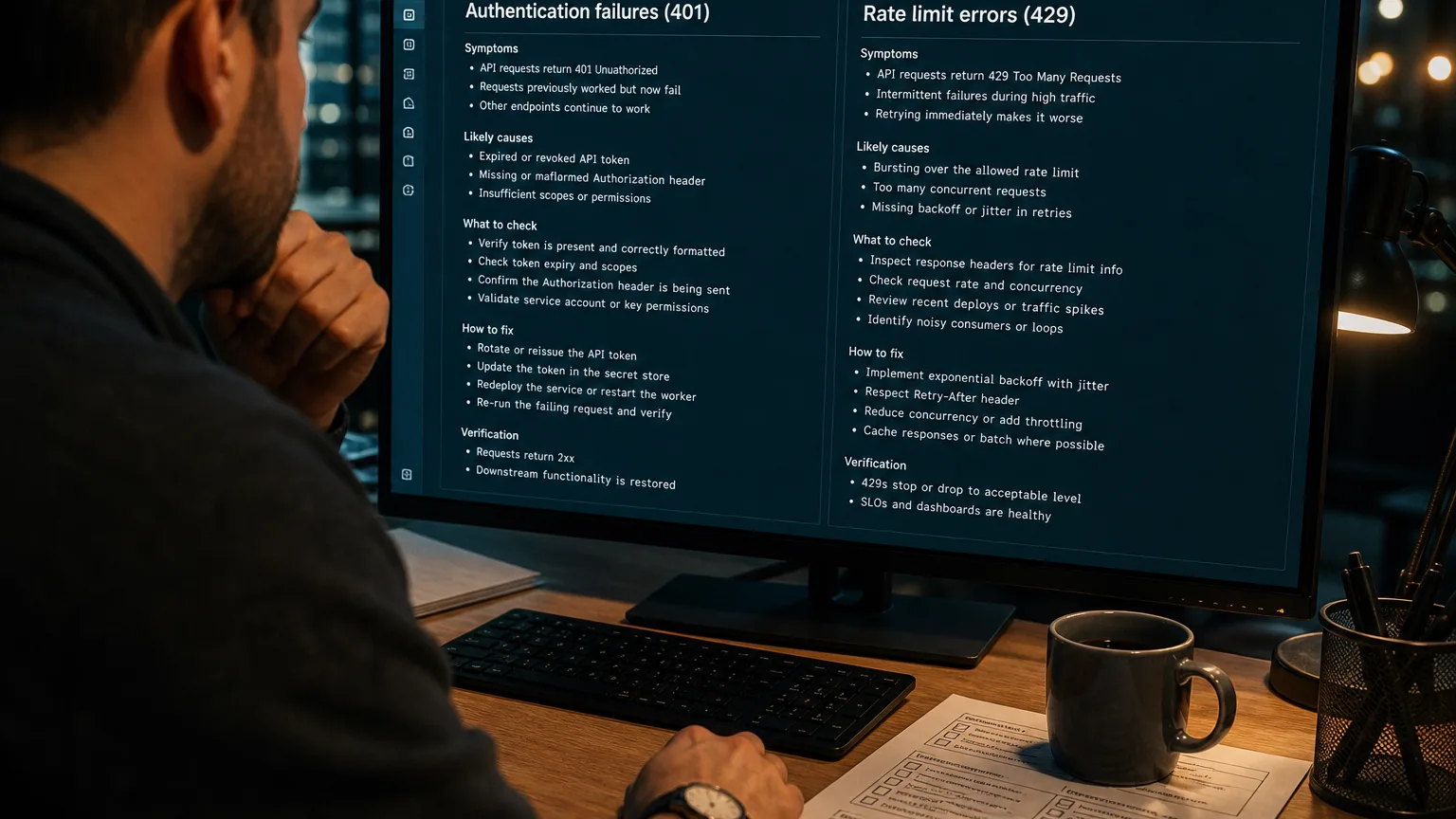
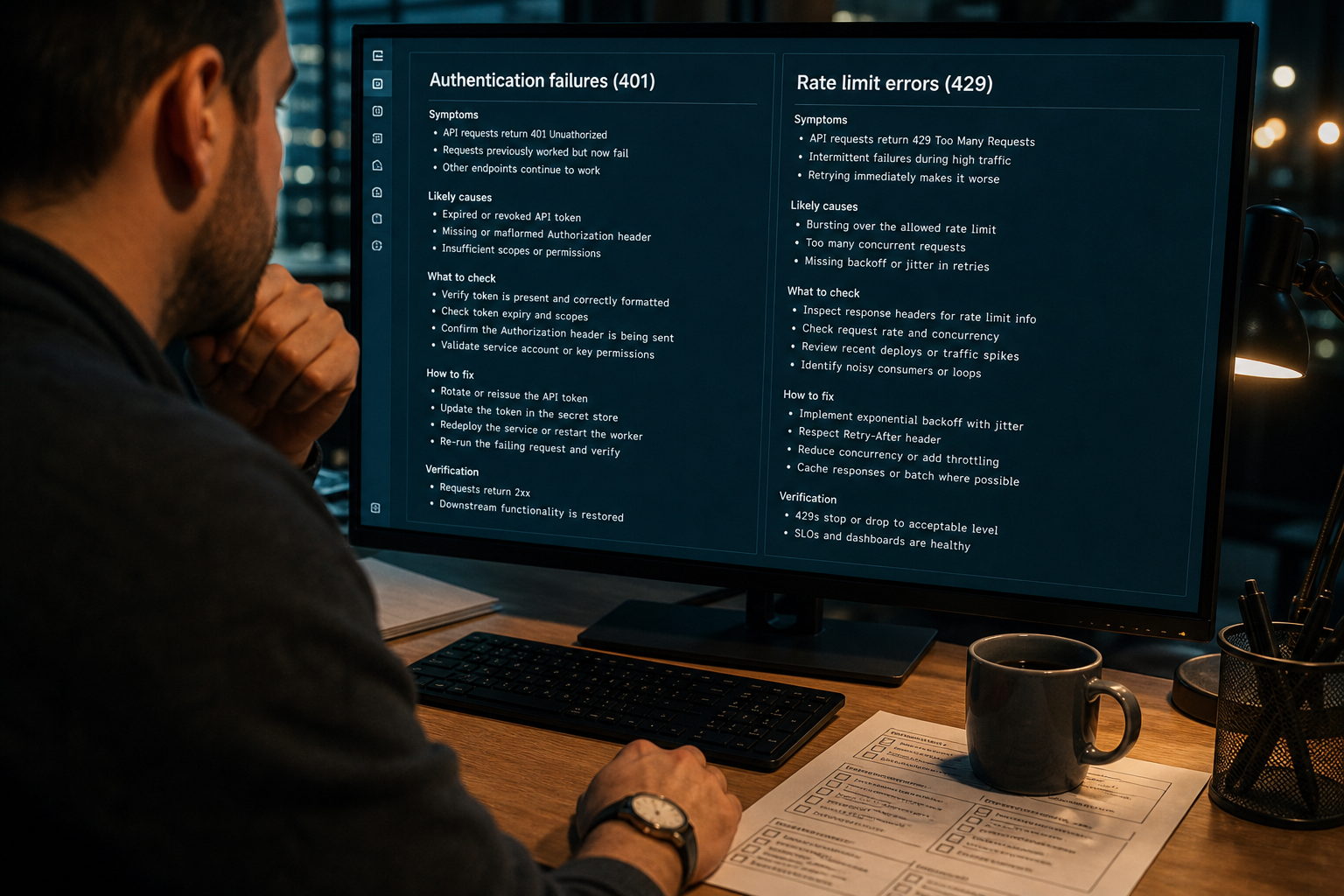
- 401 means a missing or invalid Bearer key — do not retry. 429 means RPS or TPM — wait
2 ** attemptseconds. - Recover an unreachable computer in the official least-destructive order and copy the request ID.
- Discord 401s must stop; Discord 429s honor
Retry-After.
Grok Bot troubleshooting starts by classifying the failure as an xAI HTTP status, a Grok Bot computer state, or a connector refusal.
Separate API failures from computer and plugin failures {#classify-api-computer-plugin}
Three failure planes share the same chat UI. Mixing them produces the wrong retry.
- xAI HTTP —
api.x.aireturned 400, 401, 403, 404, 410, 429, or 5xx. Check status.x.ai only after the status code is not a key or quota problem. - Grok Bot computer — sign-in, setup, unreachable Agent Computer, stuck computer-use, or local-execution policy.
- Connector / Discord / routine — plugin OAuth, Discord 401/429, disabled schedule, or exhausted usage.
Retrying a mutating tool loop on a 401 burns the same bad key. Preview writes with a dry-run gate before any second attempt against Salesforce, GitHub, or Slack.
Public posts on X have shown Grok 4.6 returning HTTP 500 capacity errors under load (@Daniel_Farinax, 20 Aug 2026). Treat 5xx as transient. Treat 401 as configuration.
Tool contracts that produce those HTTP calls live in custom Grok bot tools JSON.
HTTP status codes operators actually hit {#http-status-codes-operators-hit}
 AI Edited
The xAI debugging status codes table is the source of truth for inference errors. Map the code, then pick a retry policy.
| Status | Cause (official) | Operator action |
|---|---|---|
| 400 Bad Request | Body or URL rejected | Do not retry. Fix the payload. |
| 401 Unauthorized | No Authorization header or invalid token | Send Authorization: Bearer <XAI_API_KEY>. Do not retry. |
| 403 Forbidden | Team permission missing | Ask a team admin. |
| 404 Not Found | Wrong path or body vs API Reference | Check the endpoint. Do not retry the same URL. |
| 410 Gone | Deprecated Live Search search_parameters | Switch to Agent Tools (web_search / x_search). Notice: @BenjaminDEKR, 5 Dec 2025. |
| 429 Too Many Requests | RPS or TPM cap on inference | Reduce rate or raise the tier. Official sample uses exponential backoff: wait 2 ** attempt seconds (xAI rate-limit backoff). |
| 5xx | Service or capacity | Bounded backoff, then fail visibly. Check status.x.ai. |
Per-model RPS and TPM scale by spend tier. Prompt, completion, reasoning, and cached prompt tokens all count toward TPM. Wrappers still sending search_parameters keep getting 410 — rebuild them as Grok CLI skills and SKILL.md files.
Browse verified engineering routines →
Recover an unreachable Grok Bot computer {#recover-unreachable-grok-bot-computer}
The official product recovery guide (updated 11 August 2026) orders recovery from least to most destructive. Cloud work can continue while the desktop app is disconnected. Retrying a write without a dry-run preview is how CRM accidents start.
Sign-in does not complete: keep the app open during browser auth, confirm Cursor sign-in, retry Get started. SSO needs the organization login. Legacy Privacy Mode blocks required storage — change the Cursor data setting.
Computer still setting up: wait while progress still moves. Stopped: retry, restart, app update, then Update Agent Computer.
Computer cannot be reached (profiles are not necessarily lost):
- Retry or reopen the conversation.
- Restart the Grok Bot app.
- Recover computer / Recover Agent Computer when offered.
- Settings → Beta → Update Agent Computer.
- Wait for the replacement computer.
- Reset Agent Computer only when you accept losing recent unsynced work.
Stuck Bot: inspect the sidebar, open the computer, look for approval, login, CAPTCHA, or a secret request. Send Stop now when the task should end. Copy the request ID from Notifications before contacting support (settings and notifications).
Pair a typed debug routine from the debug-assistant sandbox when you need a schema-backed error parse instead of a chat guess.
Discord, plugins, and routines that never ran {#discord-plugins-and-routines}
Plugin install failures are usually OAuth, not Grok inference. Reopen Settings → Plugins, complete browser authorization, then retry. Revoked tokens need a remove-and-reconnect.
A routine that never ran needs a checklist: enabled, schedule/time zone, owning Bot still exists, plugins authenticated, computer can reach the source, usage not paused. Test run can perform real external actions.
Discord HTTP is a second API. Official Discord rate-limit headers return 429 with Retry-After / retry_after. 401 means a missing or invalid Authorization header (opcodes and status codes). Stop after an invalid bot token. Discord counts 401, 403, and 429 toward an invalid-request Cloudflare ban (10,000 / 10 minutes).
Gateway timeout on slash commands is a Discord interaction constraint, not an xAI 429. See Grok Discord bot gateway setup.
FAQ {#faq}
What does a Grok API 401 mean?
A 401 means no authorization header or an invalid token. Add Authorization: Bearer <XAI_API_KEY>. Do not retry.
How do I fix a 429 Too Many Requests response?
A 429 means the team hit RPS or TPM for that model. Wait 2 ** attempt seconds as in the official rate-limits sample, or raise the tier in the Console.
Why is the Grok Bot computer unreachable?
Unreachable is a computer/app state, not always an API outage. Follow Retry → restart → Recover → Update Agent Computer. Reset last.
Should I retry a 401?
No. 401 is a configuration failure on both xAI and Discord. Retrying an invalid token can trigger Discord’s invalid-request ban.
Related reading
More guides like this appear when you search BotSkillsStack Grok errors on Google.
Sources
- Debugging Errors (xAI Docs)
- Rate Limits (xAI Docs)
- Grok Bot Troubleshooting (xAI Docs)
- Settings and notifications (xAI Docs)
- Tools overview (xAI Docs)
- Discord Rate Limits
- Discord Opcodes and Status Codes
- @Daniel_Farinax on Grok 4.6 HTTP 500 capacity (20 Aug 2026)
- @BenjaminDEKR on Live Search 410 / Agent Tools (5 Dec 2025)