How to Build a Grok Trading Bot With Dry-Run Risk Controls
This article was produced with AI assistance. Editorial standards apply.
 AI Edited
 Last updated: August 31, 2026
This article was produced with AI assistance. Editorial standards apply.
Key takeaways
- Keep analysis tools read-only. Keep order tools behind a dry-run flag the model cannot flip.
- xAI function calling returns a tool request. Your process executes it. The model never holds the broker secret.
- Paper venues share an API shape with live trading. They do not model slippage, queue position, or market impact.
- Do not publish win rates from a simulation. Treat paper P&L as a software test, not an edge.
- HyperGrok Trading Desk is a packaged sandbox (research → Hyperliquid testnet → ticket-id approval). A custom order loop still needs its own preview schema.
Build a Grok trading bot by wiring xAI function calling to a paper-trading venue, then keeping live order tools behind an explicit dry-run gate. Browse the market research hub for verified research skills that stay on the read path.
Split signal generation from order routing {#signal-layer}
An autonomous loop that both “thinks” and “sends the order” in one prompt is a mutation accident waiting to happen. Split the system into two privilege levels.
| Layer | Allowed tools | Default |
|---|---|---|
| Signal | quotes, filings, news, X search, code interpreter | always on |
| Preview | size, stop, notional, dry_run: true | always on |
| Execution | live submit_order | off until a human token |
xAI’s tools overview draws the same line: built-in server-side tools (web search, X search, code interpreter) run on xAI servers; custom functions pause and return to you. Put broker writes in that second bucket.
Ground the signal layer in a typed research skill such as the market intelligence agent sandbox. That skill can fetch catalysts. It must not own the order ticket.
Typical situation: a model reads a noisy 8-K headline and emits SELL. The preview JSON still goes to a blotter. No exchange sees a request until an operator accepts the ticket.
Typed function calling for market tools {#typed-tools}
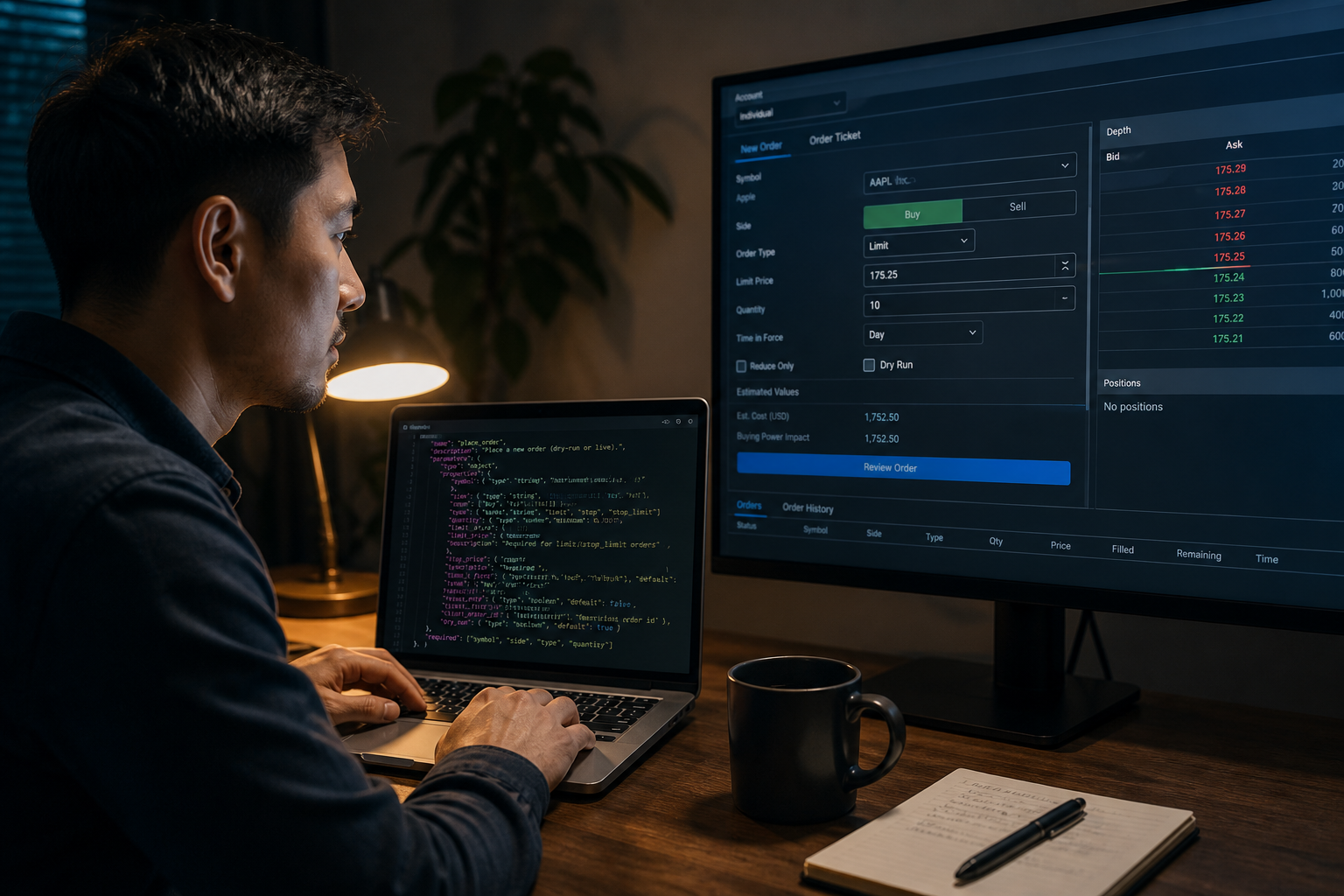
xAI function calling docs require a name, a description, and a JSON Schema whose root is an object. The model requests the call. Your runtime executes it. You append the tool result and sample again.
Keep order tools on a preview schema. Required keys: symbol, side, qty, order_type, dry_run. Default dry_run to true in code, not in the prompt. Reject any call that omits it.
{
  "type": "object",
  "properties": {
    "symbol": { "type": "string" },
    "side": { "type": "string", "enum": ["buy", "sell"] },
    "qty": { "type": "number" },
    "dry_run": { "type": "boolean", "const": true }
  },
  "required": ["symbol", "side", "qty", "dry_run"]
}
A second tool, submit_live_order, should require an execution_token minted only after a human (or a Grok Bot Allow once click) accepts the preview. That pattern matches BotSkillsStack two-phase mutation safeguards: simulate first, mutate second.
CTA: Copy the HyperGrok desk prompt from the sandbox, then run it in research mode with no keys.
Dry-run, paper venues, and approval gates {#dry-run-risk}
Paper trading is the first hardware-in-the-loop test. The Alpaca paper trading specification uses the same API shape as live accounts, with a distinct key set and https://paper-api.alpaca.markets as the base URL. Orders are not routed to a live exchange. Fills are simulated from real-time quotes.
Alpaca states the simulation does not account for market impact, information leakage, latency slippage, order queue position, price improvement, regulatory fees, or dividends. A green paper blotter is a software test. It is not proof the strategy survives live microstructure.
On the Grok Bot product surface, keep purchases and financial transfers behind approval. Grok Bot approval boundaries tell you to name the stop: do not change the campaign, do not send the wire, ask after showing current value, proposed value, and expected impact. Auto Review Require Approval wins when it collides with Always Allow.
The first-party ladder is the same idea as a custom Grok Bot function calling preview tool: research reads stay on; writes stay behind a flag the model cannot flip. The packaged HyperGrok sandbox is a different URL — next section.
- Point the broker client at the paper base URL and paper keys.
- Run the agent with only
preview_orderregistered. - Diff previews against written risk limits (max notional, max names, no short unless allowed).
- Enable
submit_live_orderon paper only after the preview loop is boring. - Promote the live key in a separate config file the model never sees.
HyperGrok Trading Desk versus a custom order loop {#hypergrok-vs-custom}


GSC already sends listing impressions to the HyperGrok Trading Desk sandbox. That page is the product routine: clone the desk, stay in research mode with no keys, then a trade-only API wallet on testnet, then mainnet only after approval by ticket id. This article is the custom loop: you own the broker client, the preview schema, and the execution token.
Do not mint a second how-to URL for HyperGrok. Point the listing at this guide for the dry-run contract. Point this guide at the listing for the packaged prompt.
| Path | Venue | What official docs say |
|---|---|---|
| Custom loop (Alpaca-shaped) | https://paper-api.alpaca.markets | Same API spec as live; fills simulated; no market impact or queue position |
| HyperGrok / Hyperliquid | https://api.hyperliquid-testnet.xyz | Hyperliquid API: same requests as mainnet https://api.hyperliquid.xyz, swapped host |
| Hyperliquid faucet | https://app.hyperliquid-testnet.xyz/drip | Testnet faucet: 1,000 mock USDC if that address already deposited on mainnet |
Neither venue is a live edge. Testnet mock USDC is not paper equities. Paper equities are not mainnet perps. Keep the model off the signing key in both cases.
CTA: Open the HyperGrok sandbox in research mode. Copy this article’s preview schema only after the desk receipt is saved.
Treat paper P&L as a simulation, not an edge {#no-fake-pnl}
Do not invent a win rate, Sharpe, or “500 paper trades” story. This directory does not operate a live book, so it has no first-party backtest to publish.
The SEC Office of Investor Education and FINRA SEC automated investment tools alert warns that automated tools may rest on flawed assumptions and that investors should be wary of tools that promise better portfolio performance. Quote that in your README. Omit invented leaderboards.
Use paper to catch disconnects and schema drift. Keep research skills in the engineering skill directory on the read path until the gate is proven. Official @xai posts describe Grok as a search-and-citation assistant plus an API. They do not certify trading returns.
FAQ {#faq}
How do you paper-trade an xAI agent before live orders?
Point the broker SDK at the paper endpoint and paper keys. Register only preview tools. Promote a live key in a second config the model cannot read.
Does Grok place exchange orders by itself?
No. Function calling returns a tool request. Your process either previews, rejects, or submits. Grok Bot can click a broker UI; keep that path on Allow once for financial transfers.
Do paper-trading results match live fills?
No. Alpaca documents missing slippage, queue position, and market impact. Treat paper P&L as a test harness.
Should an AI trading README promise better performance?
No. The SEC/FINRA automated-tool alert tells investors to be wary of that claim. State risk. Omit invented backtests.
Is HyperGrok Trading Desk the same as this custom loop?
No. HyperGrok is a packaged desk on the listing URL. This page is the preview-schema contract you wire yourself. Use Hyperliquid testnet (api.hyperliquid-testnet.xyz) for the desk path. Use Alpaca paper for an equities-shaped custom client.
Related reading
Ship the preview loop first. Search BotSkillsStack Grok trading on Google for more operator guides in this directory.
CTA: Open the HyperGrok sandbox, stay in research mode, and save the desk receipt before any testnet wallet.
Sources
- xAI Function Calling
- xAI Tools Overview
- Alpaca Paper Trading
- Grok Bot Approvals, security, and privacy
- Investor Alert: Automated Investment Tools (SEC/FINRA)
- Hyperliquid API
- Hyperliquid testnet faucet
- Grok Bot overview
- @xai status 1868045124028268983 (verified via Thread Reader unroll of the same id)